Time recording 2

Time Attendance
Digital and web-based
TIME RECORDING
via app & web browser
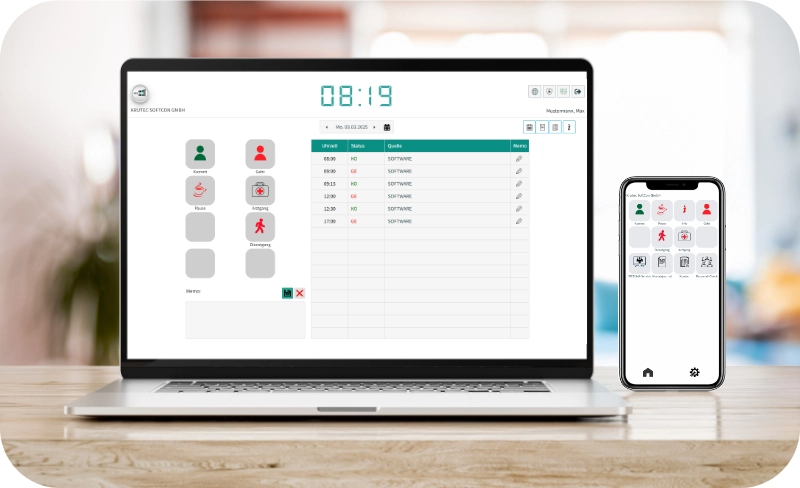
Time tracking via smartphone app (iOS and Android) and on screen, directly and easily in real time. Whether you’re on the go, at home, or at work. Learn more about the additional features of the smartphone app.
Mobile
Real Time
TIME RECORDING
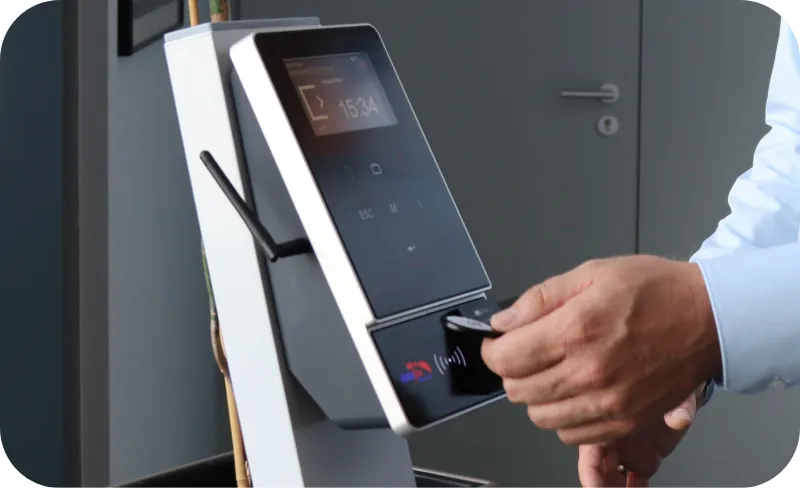
with RFID transponder
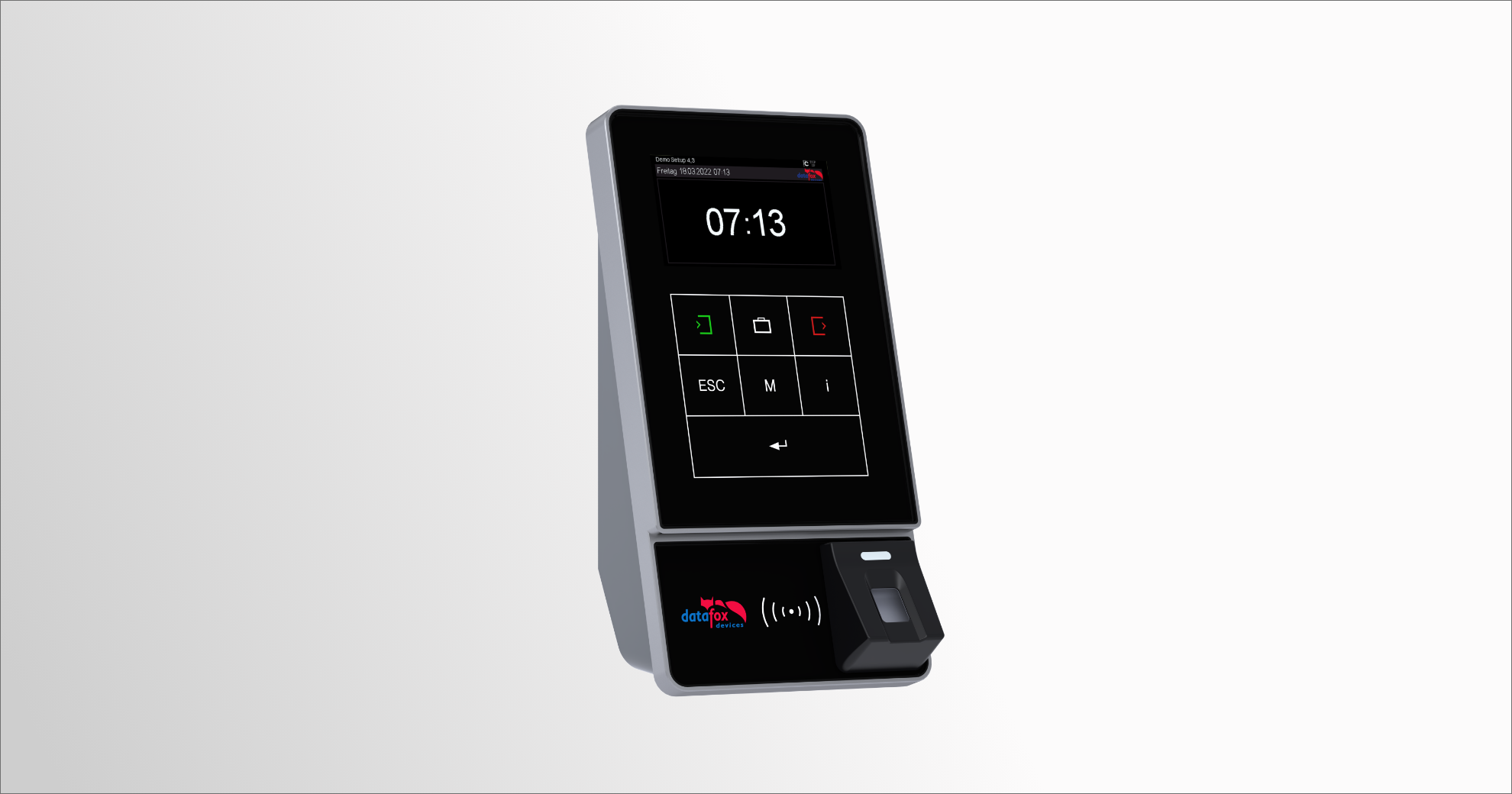
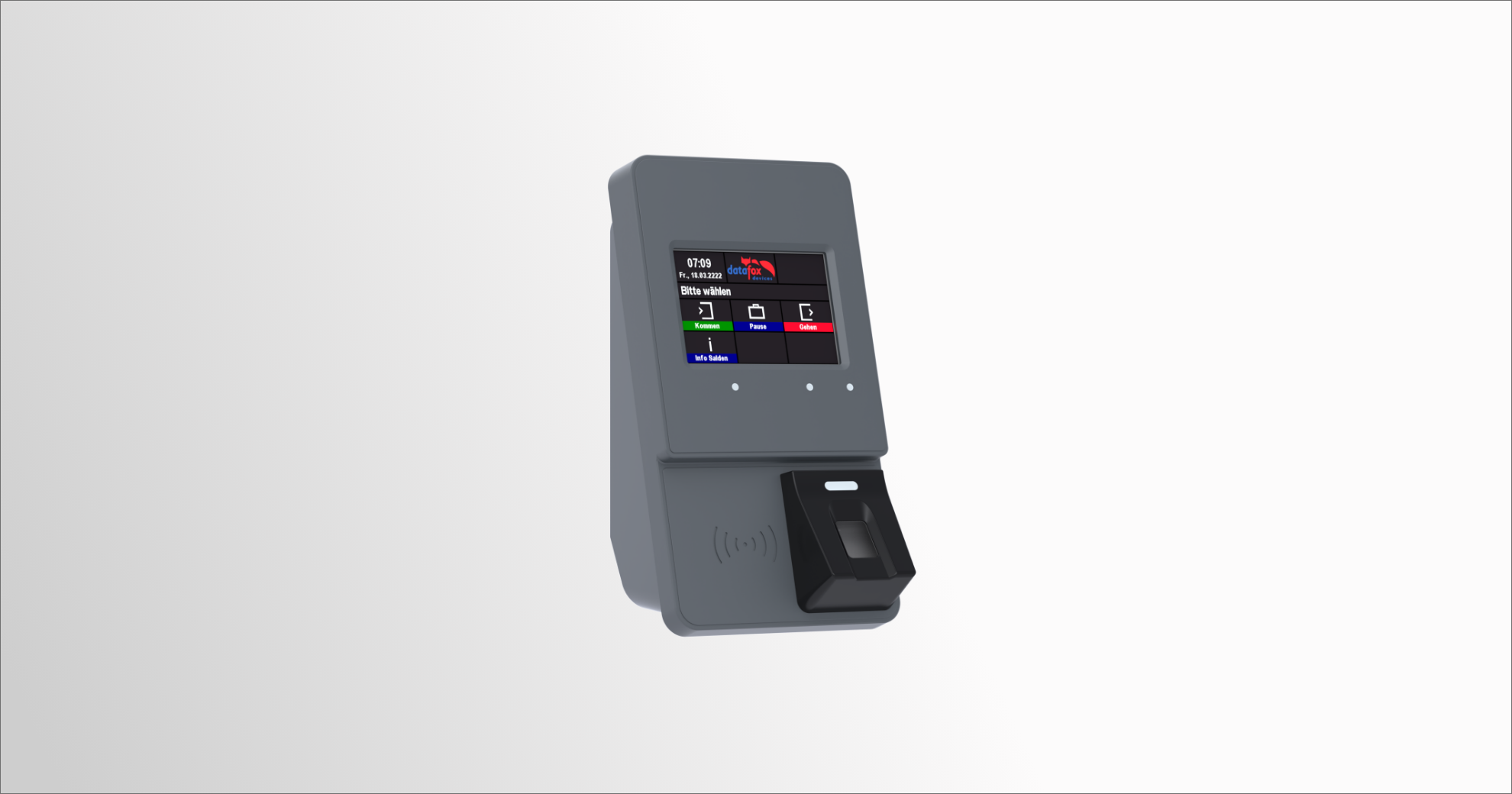
Time recording at the stationary terminal with RFID transponders. In real time and across all locations. Use your existing RFID transponders or ours.
Balance display
Real time



TIME RECORDING
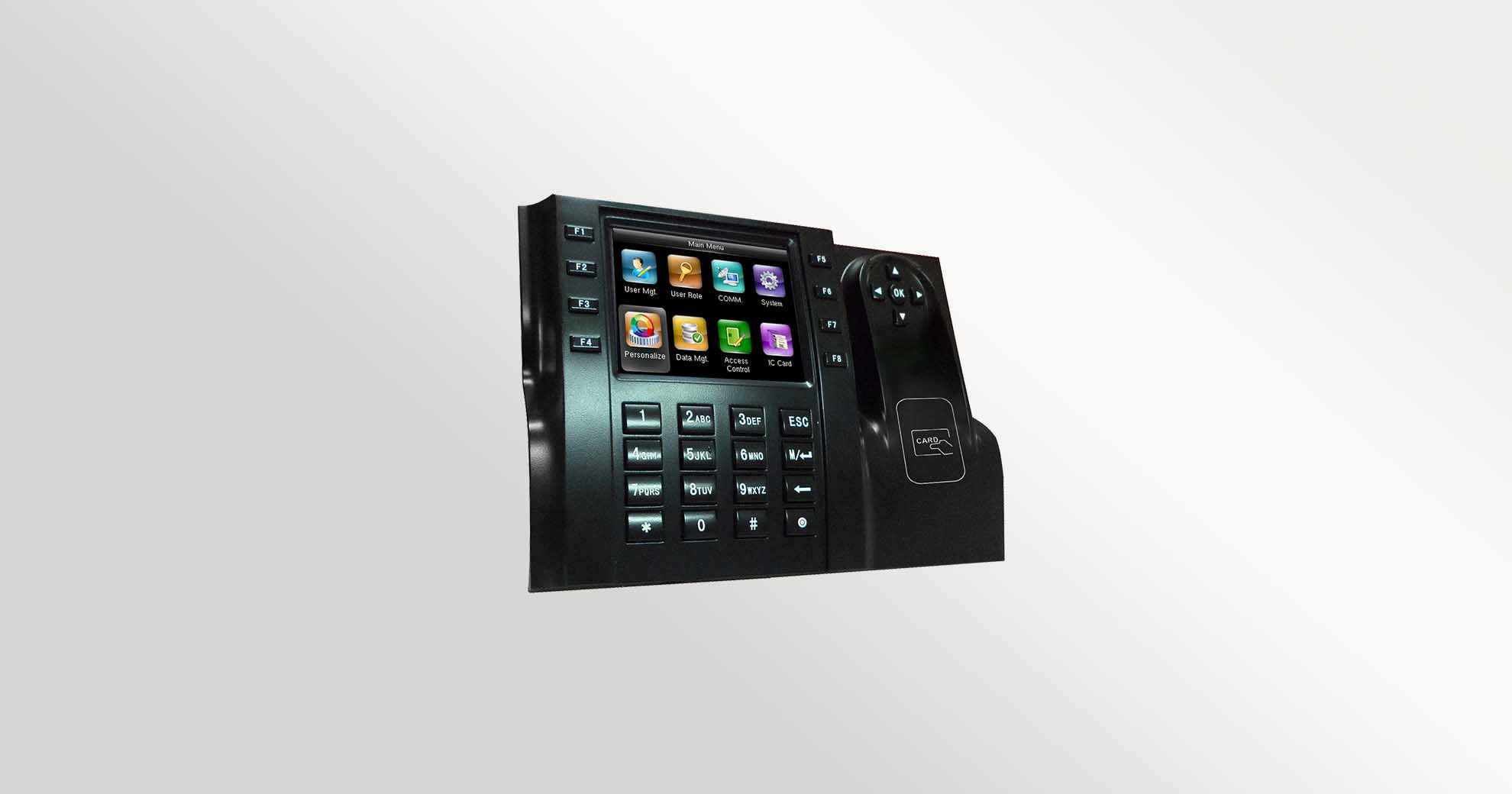
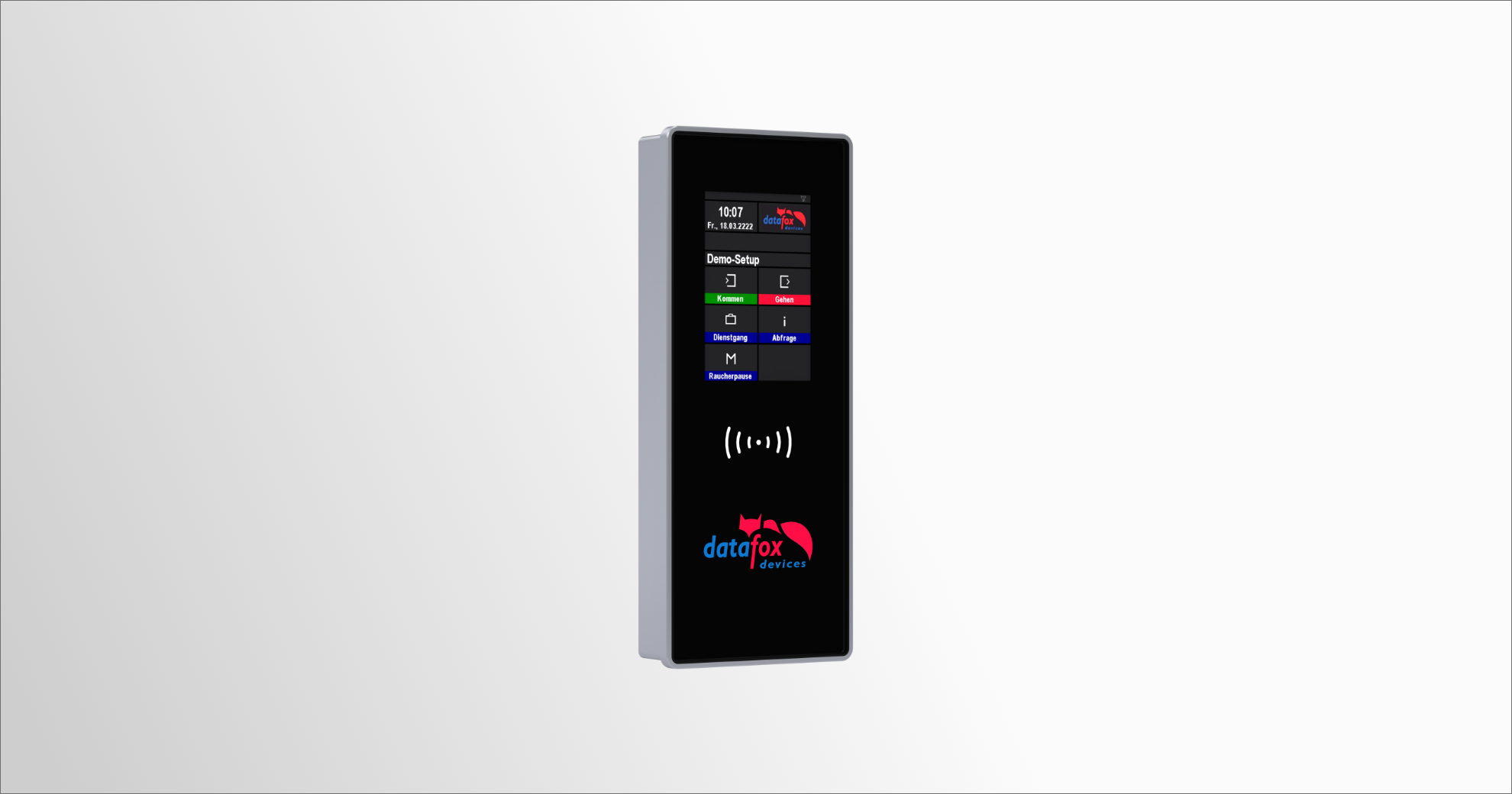
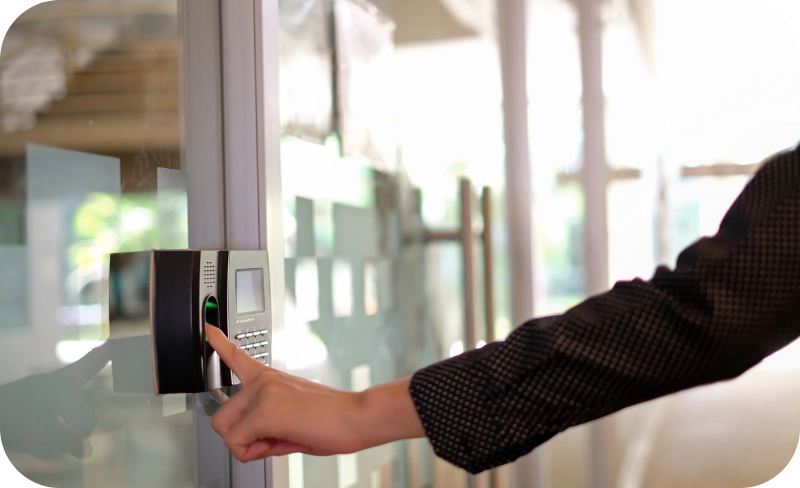
with fingerprint
Biometric time recording with fingerprints. Fast, secure, and data protection compliant. In addition to the RFID transponder, you can use an optical fingerprint sensor.
Efficient
secure


Detailed Personnel
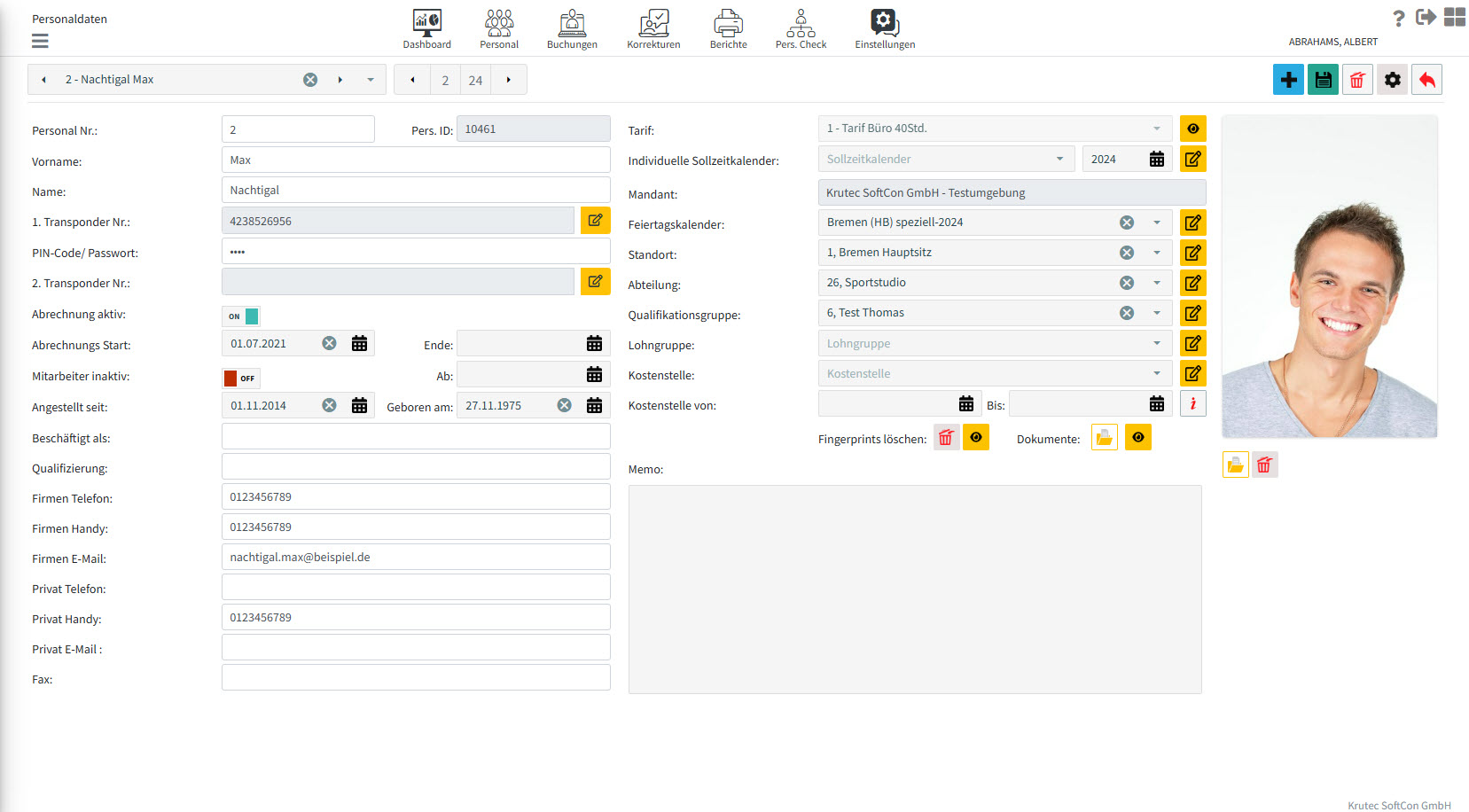
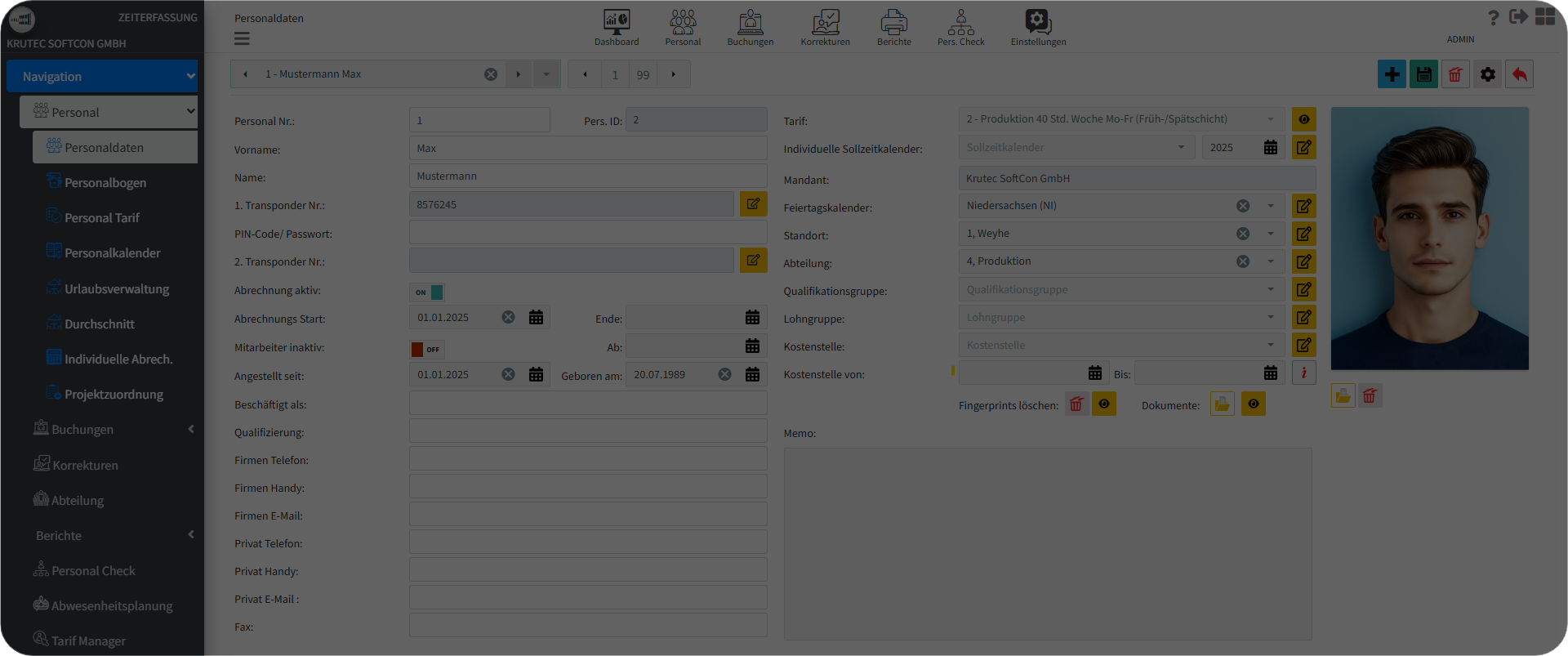
The Personnel feature is a Digital File that consolidates electronic records related to employee employment, allowing for easy access to critical information. This includes personal details such as employee number, picture, name, address, and contact information. It outlines employment history, including job titles, dates of employment, department, and physical work location, and allows for digital uploads of employee
documents provided upon employment or supplied by the employer. Additionally, it includes the employee tariff, which describes how the employee should work, as well as a personnel calendar that outlines employee availability throughout the year, indicating planned off days, leave days, and public holidays, along with a holiday calendar for effective planning.
Detailed Bookings
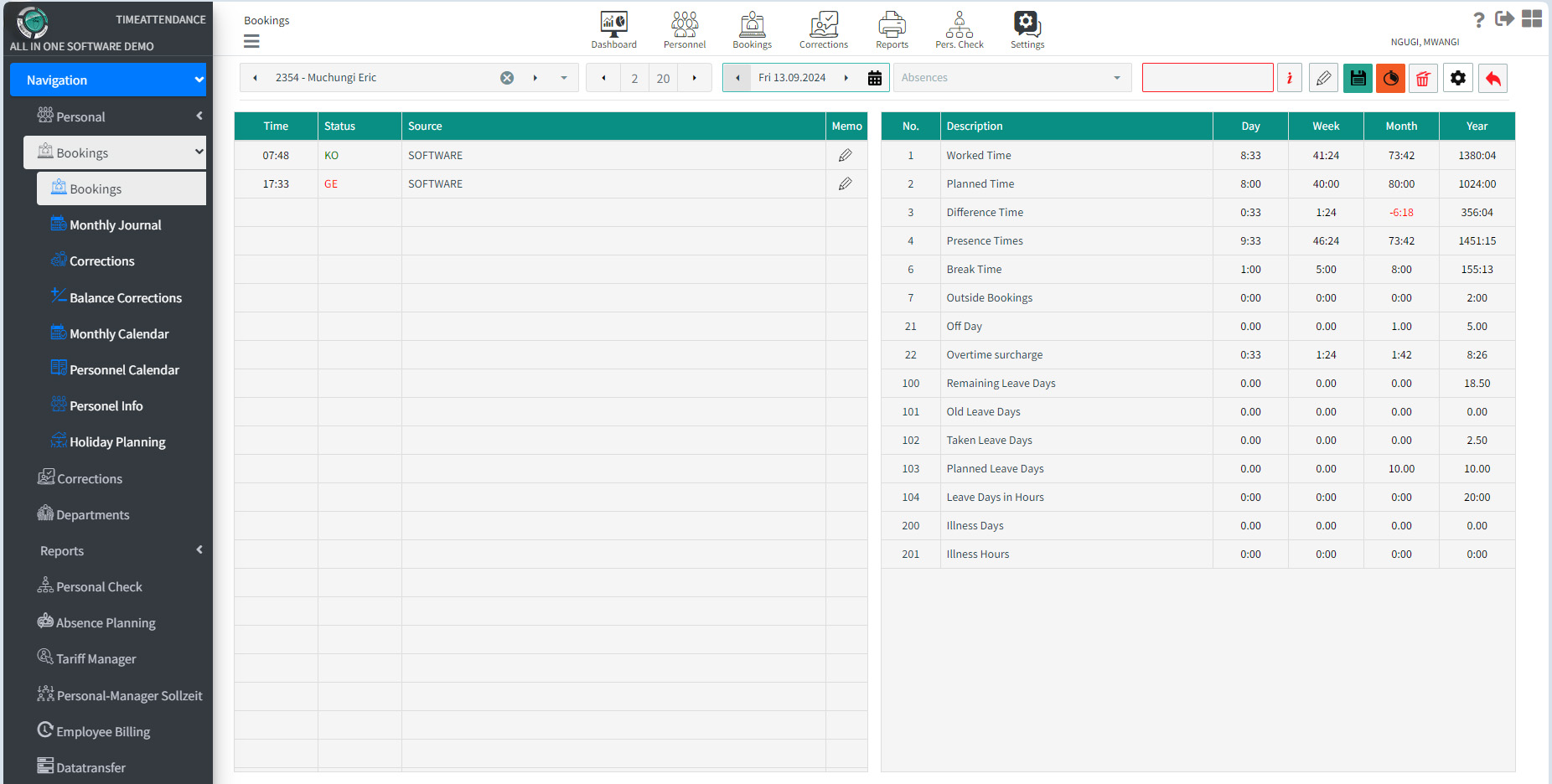
The bookings feature provides comprehensive insights into employee time management. Key features include tracking Worked Time and Planned Time, allowing you to easily identify discrepancies with Difference Time. You can monitor Presence Times and Break Time to ensure optimal productivity throughout the workday. The system also accommodates Outside Bookings and tracks Off Days for accurate attendance management. For employees working extra hours, Our overtime
Surcharge feature calculates additional compensation automatically. Additionally, you can manage leave efficiently by monitoring Remaining Leave Days, Old Leave Days, and Planned Leave Days, with detailed breakdowns into Leave Days in Hours. Finally, the system allows you to track Illness Days and Illness Hours, ensuring that employee absences are recorded accurately and managed effectively. These features promote transparency and support effective workforce planning.
Detailed Reports
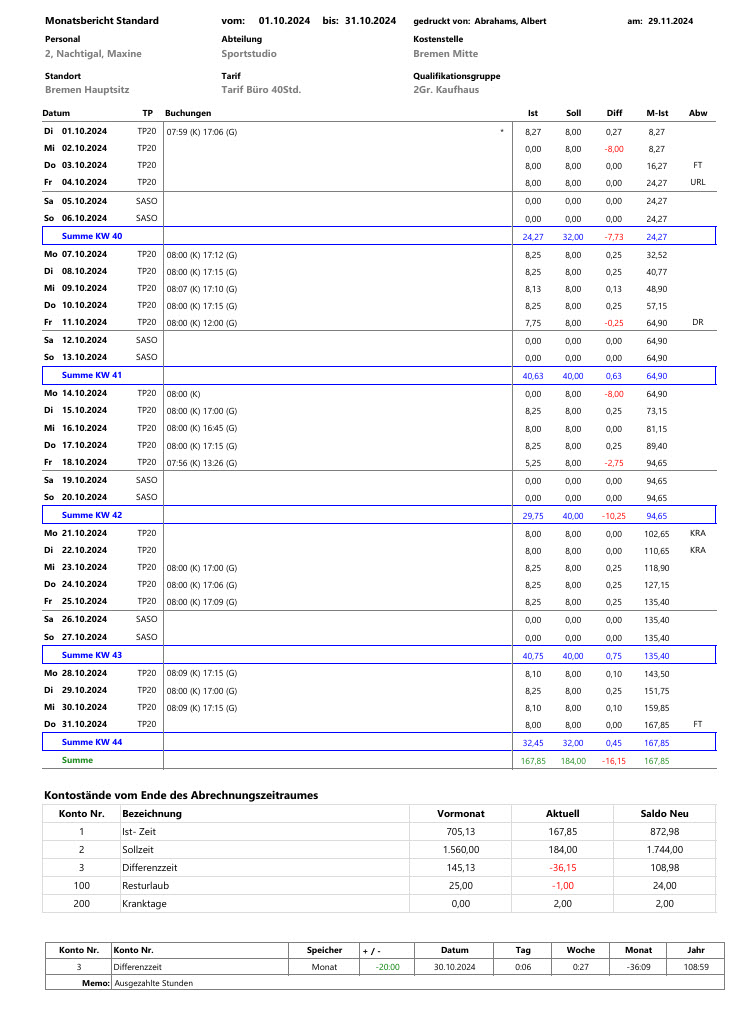
The Monthly Report feature provides comprehensive insights into employee performance and attendance, making it an essential tool for effective management. Reports can be generated and shared in various formats, including PDF, XLS, XLSX, RTF, DOCX, MHT, HTML, Text, CSV, and
Image, ensuring compatibility with different systems and user preferences. To print a report, users can easily select individuals using options such as Personnel No., Last Name, First Name, E-Mail, Location based on specific needs.
Personal Check
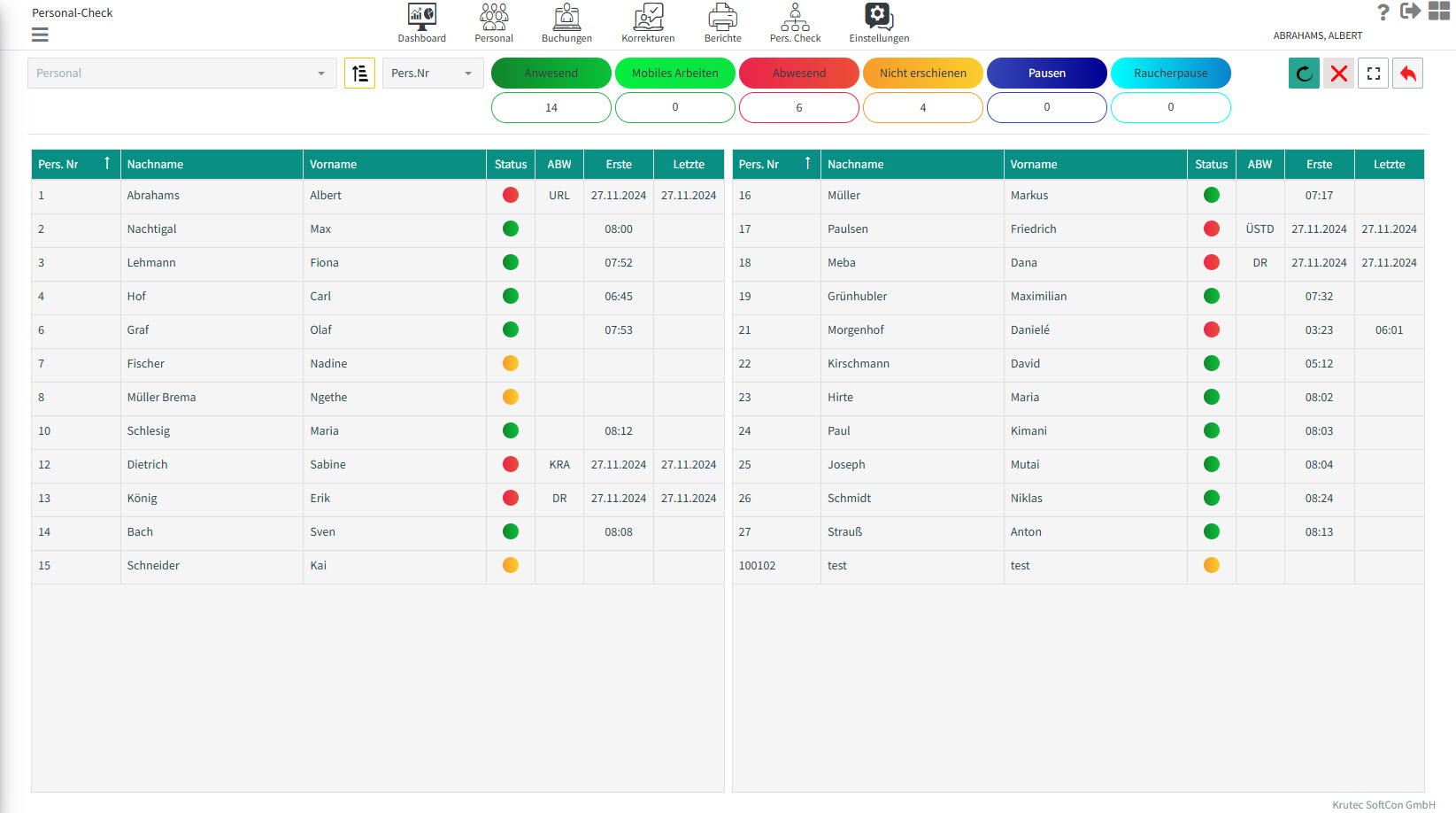
The Personal Check feature provides a comprehensive overview of employee attendance, allowing managers and team members to quickly assess who is present at work. This user-friendly tool employs a color-coded system for clarity, with a distinct colors indicating “Present”,
“Home Office”, “Absent”, “No Bookings”, and “Break.” This visual differentiation simplifies monitoring attendance and ultimately contributes to a more organized and productive work environment.
Detailed Departments
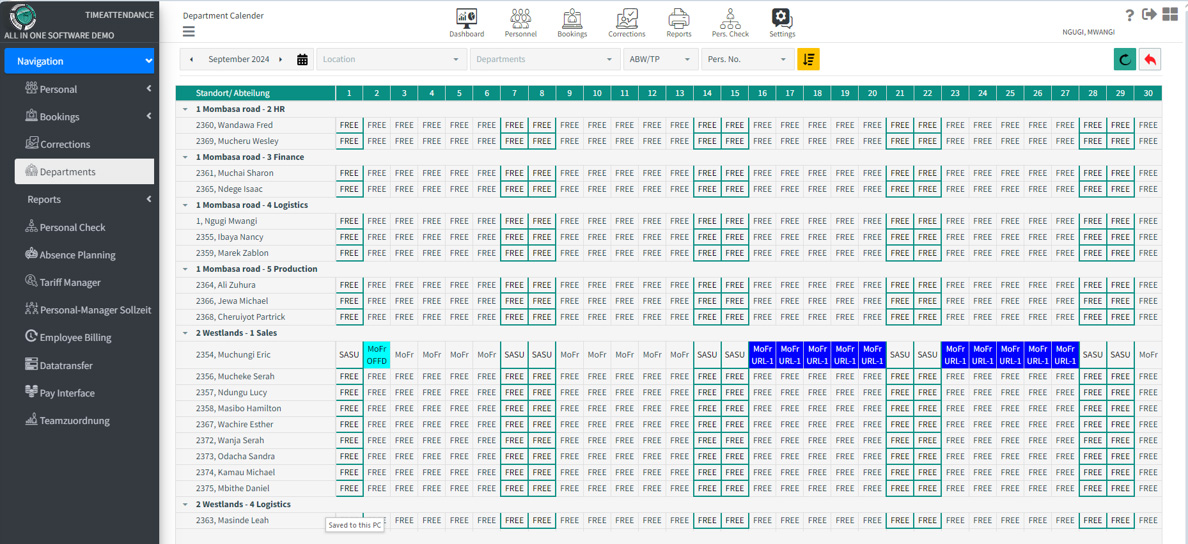
The Departments feature is a robust tool that allows you to create, manage, and customize departmental structures tailored to your unique business needs. You can easily set up departments with clear names for enhanced focus and clarity within your Organization.
Role assignments enable you to designate team members to specific departments, fostering accountability while defining roles for permissions for security and efficiency.
Some time tracking functions at a glance
Web-based time recording
100% web-based time tracking means you can use our software simply via your existing web browser, such as Google Chrome, Microsoft Edge, Mozilla Firefox, Apple Safari, and many more. No installation is required on the workstations.
This eliminates the need to install the software at the workstations. This also allows you to access the software from anywhere you have internet access. This makes our time tracking system an ideal solution, especially for home offices.
Surcharges
Whether it's night, Saturday, or Sunday bonuses or industry-specific bonuses such as dirty work bonuses and overtime bonuses: Krutec time recording allows you to customize bonuses.
Layers
You can record up to six shifts per day. Automatic shift recognition makes managing shifts easier and reduces your workload.
breaks
Let your staff book their breaks, or leave break bookings entirely to time tracking, or a combination of both. The software handles break accounting for you and transparently displays the deductions.
Mobile capture
In addition to the smartphone app (iOS & Android), the web terminal can also be used as a home office (mobile working).
Time tracking anytime, anywhere. Simple and fast in real time.
Geo location / GPS tracking
When using our smartphone app (iOS & Android), you can optionally record your location for each time booking. The location at the time of booking can then be viewed in the time tracking system.
GDPR, ArbZg and ECJ compliant
Krutec WEB time recording complies with the GDPR and the ECJ and observes the applicable laws of the Working Hours Act.
On-Premise / Hosting
You decide whether you want to have our software installed locally on your server or use our cloud server for hosting. In both cases, the software is the same. Switching from the cloud to your server, or vice versa, is possible at any time.
30 years of experience
With over 30 years of experience, we are familiar with all the regulations involved in time recording. The customizable configuration options of our time recording system allow us to satisfy our customers' needs and wishes.
Multi-tenant capable
Separate your companies for time tracking. No need for multiple installations of the same software. Separating clients allows you to use the same software but keep strictly separate data.
Billing programs
Our billing programs, or "macros," offer you the ability to create even more complex billing methods. Using conditions and subsequent functions, you can influence normal billing to achieve your desired result. The billing programs offer a great deal of flexibility for individual customization.
Proofreading Assistant
Forgotten a booking? Was an employee absent? Did they violate core hours? The Correction Assistant provides you with an overview of all errors and allows you to quickly and easily correct any accumulated errors.
When used with our self-service system, your staff can also correct the errors themselves. Of course, this is done in the form of a request, which then requires approval.
Permissions
An authorization system within time tracking allows you to assign individual permissions to each user. You decide whether to grant read or write access to each menu item.
Payroll interfaces
We offer standard payroll interfaces to DATEV (Lodas + Lohn und Gehalt), Sage, SAP, and more. Do you have a different payroll program? Just contact us and we'll check compatibility. We're also happy to create customized interfaces for you; just let us know your requirements.
Balance adjustments
Do you want to pay out overtime individually? No problem! You can influence each account in time tracking and use balance adjustments to influence each account.
Evaluations
A wide range of reports are available in time tracking. From monthly reports to account analyses for all employees and even absence statistics. Configure the lists so that only the data relevant to you is displayed.
Promise for the future
With constant updates that bring new features, improvements, bug fixes, requests and, of course, legal changes, you are always well prepared for the future with the time recording system.
Thanks to our own development, we can react to changes at any time and provide them with an update.
Do you have any questions?
Please feel free to contact us.
We are available by phone and email. We would be happy to schedule an appointment for an online demonstration and answer any questions you may have.